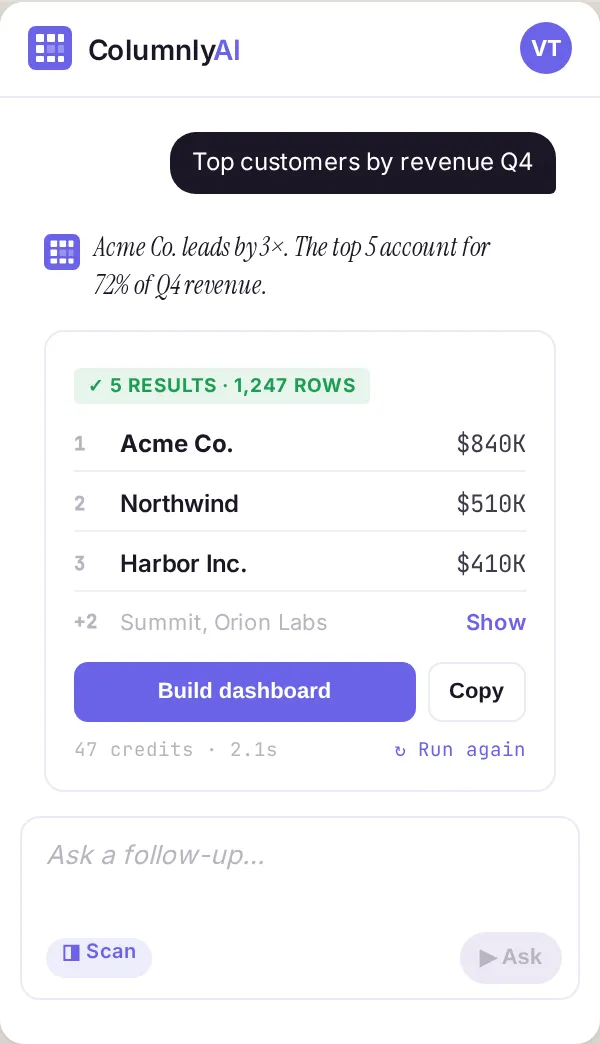
Ask any question. Get an analyst's answer.
A persistent sidebar in the Sheet you're already in. No new tab, no second tool. Type a question; Columnly returns the answer with the math, the assumptions, and the source cells called out.
- Show the math. Every answer has a one-click trail back to the formula and the cell range that produced it.
- Cross-sheet ask. Reference values across multiple tabs in a single prompt — Columnly resolves the join.
- Generative formulas. Top 75 spreadsheet functions, written in plain English and dropped where you ask.
- Sentiment + keywords. Run text-analysis directly on a column without exporting to a notebook.
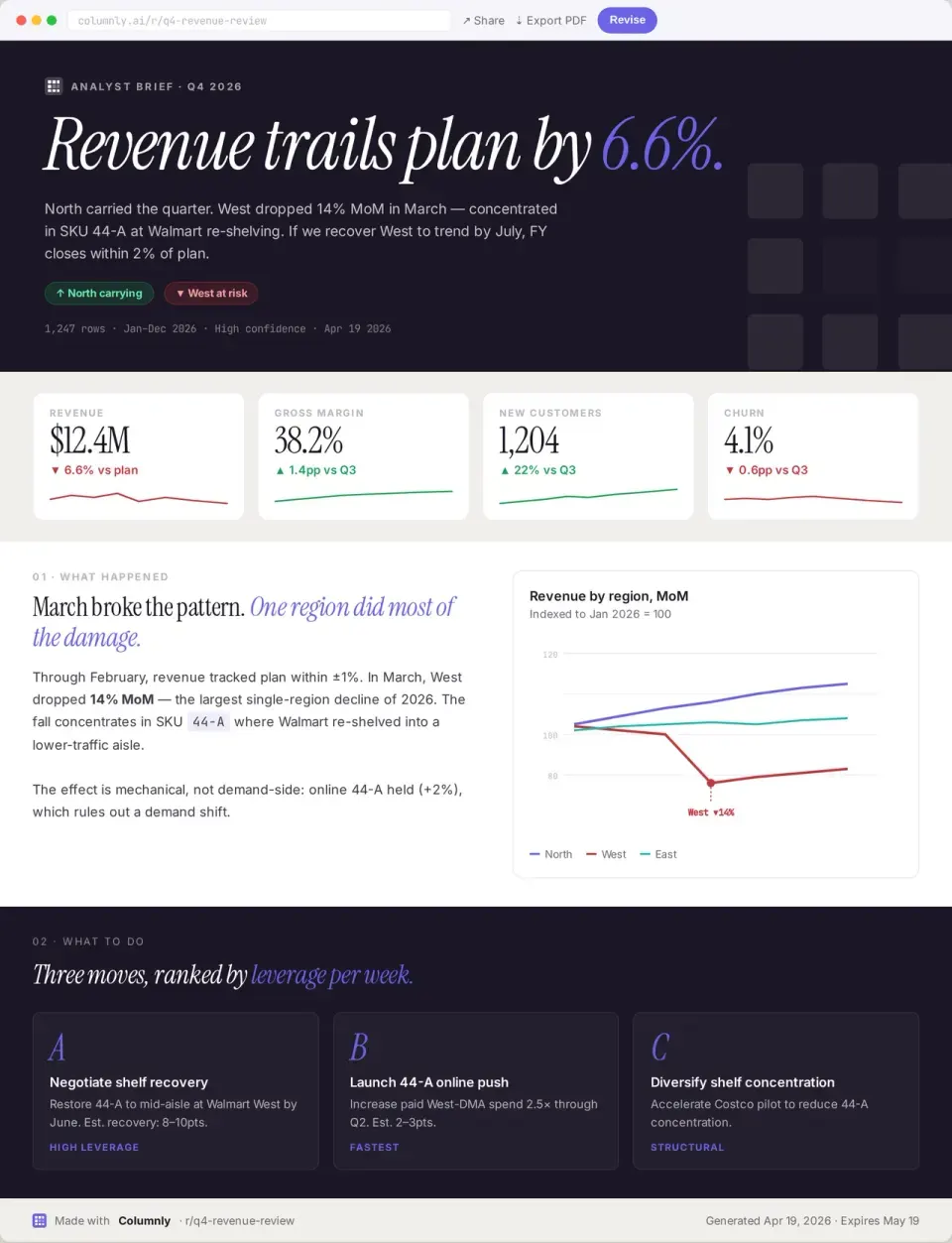
From data to story in one click.
A brief is the document a PM or executive actually reads — narrative, not numbers. Columnly drafts it from the sheet, charts it inline, and lets you share or export without leaving the spreadsheet.
- PM-grade narrative. Headline, takeaways, supporting detail, recommended next step — same shape every time.
- Charts inline. Auto-selected based on the data shape; never the wrong chart for the variable type.
- Share or export. Public link, PDF, or paste-into-deck — your choice, no copy-paste loops.
- Editable. Every paragraph and chart is yours to refine before you ship the brief.
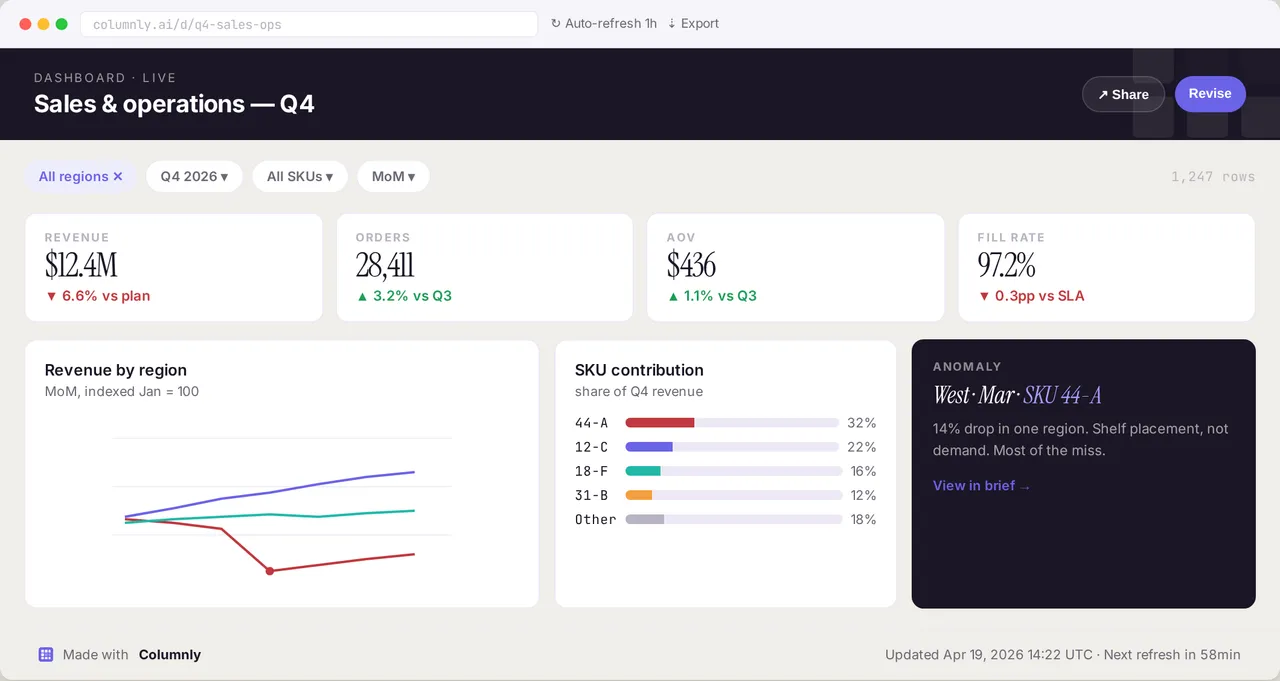
Five charts in five seconds.
Point Columnly at a sheet and it builds a starter dashboard — the right charts for your data shape, configured and refreshable. Drop it into a deck, embed it, or keep iterating.
- Auto chart selection. Time-series gets a line. Categorical gets a bar. Distribution gets a histogram. We don't ask you to know.
- Configurable. Swap chart types, adjust ranges, and re-color from the same sidebar — no separate tool.
- Refresh on demand. Re-run the dashboard against the latest sheet state with a single click.
- Up to 5 charts on Basic. Unlimited on Pro.
Your sheet stays your sheet.
A CFO has to be able to put Columnly in front of an auditor. We treat that as a non-negotiable: read-only by default, no data at rest on our servers, and the only data we ever touch is what your prompt explicitly asks us to look at.
- Read-only by default. Write actions only happen when you explicitly trigger them; everything else is read-only.
- No data at rest. Sheet contents are processed in-memory and discarded; we don't keep your rows on our servers.
- SOC 2 Type II + GDPR. Annual independent audit; data residency and erasure honored end-to-end.
- You own the audit trail. Every cell Columnly read or wrote is logged and exportable on request.
Add it to your next sheet.
30-second install. No exports, no new tools, no learning curve.